Keep the set narrow
The best shortcut workflow focuses on the emoji people actually use repeatedly instead of trying to expose everything at once.
This page is for users who keep reaching for the same emoji while replying on X. The goal is simple: reduce repetitive clicks and keep the flow light.
Tool navigation
Use the hub to compare both tools, or jump straight to emoji or symbols if you already know what is slowing you down.
For active users on X, the issue is not finding every emoji in existence. It is getting back to the same favorite reactions fast enough that the picker does not interrupt the thread.
This page should stay useful even for people who only need a faster insert flow, while still introducing the broader Bisonary workflow.
The best shortcut workflow focuses on the emoji people actually use repeatedly instead of trying to expose everything at once.
Grouping emoji by use case is often faster than asking users to search or browse a giant picker.
When a user needs more than emoji, the page can guide them into reply suggestions, voice input, or text enhancement.
The use case is narrow but real: make repeated reactions faster without adding new workflow complexity.
Use favorite emoji when you want to react naturally without slowing the thread down.
Emoji often help milestone posts feel lighter and more visual without requiring extra formatting work.
Small emoji choices can soften tone and make a short reply feel more human when used intentionally.
The first screenshot shows the quick insert experience in the composer. The second shows how favorites can be managed in the side panel.
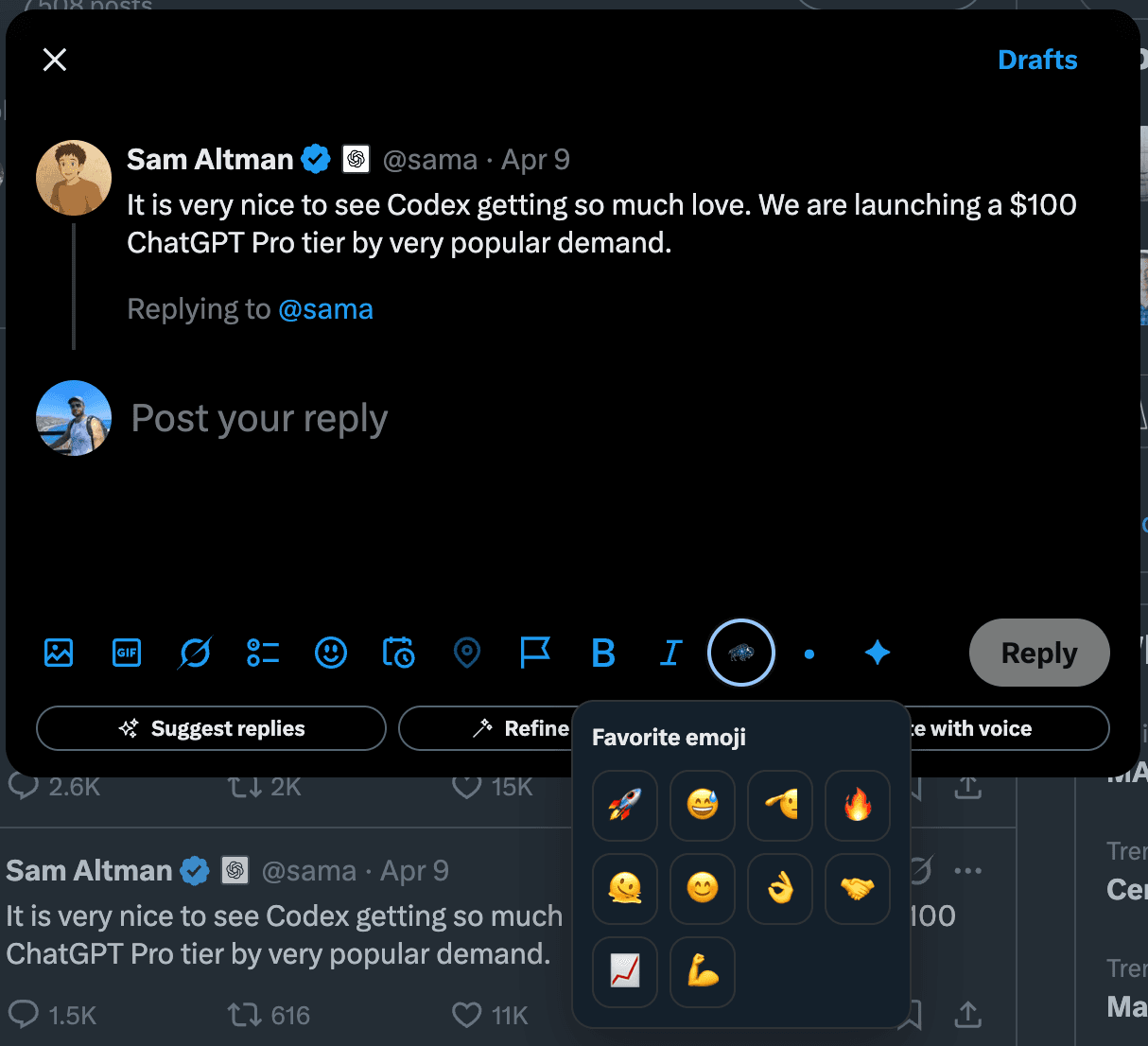
This is the fast path when you already know the emoji you want and just need it available without reopening a full picker flow.

The side panel makes the tool more sustainable for frequent users because favorites can be reviewed and updated in one place.
These groups are intentionally small. The point is speed, not a giant catalog.
Useful when you want to reply quickly without breaking the flow of the thread.
🔥 👏 👀 💯 ✅ 🙌
Helpful for launches, milestones, and small progress updates on X.
🚀 🛠️ 📈 🎯 ⚡ 🧠
Useful when the goal is to keep tone warm, social, and easy to engage with.
🙂 🤝 🙏 😊 👍 ❤️
Each page covers a different job to be done so users can find the exact workflow they need.
Frequent posters often reach for the same emoji patterns repeatedly. A narrower page focused on favorite emoji is more useful for that intent than a broad product explainer.
Not exactly. The point is to make the fastest, most repeated emoji choices easier to reach, especially when you post and reply often on X.
No. It is a quality-of-life helper inside the writing flow. The main product still focuses on reply drafting, voice workflows, and text refinement.
They can keep the posting flow lightweight for simple replies, or move into the broader Bisonary workflow when they want drafting or text polish.
A good emoji tool should solve a small problem well. Bisonary is there when users also need help drafting and refining replies on X.
Emoji shortcuts are quality-of-life helpers, not a replacement for the main reply workflow.