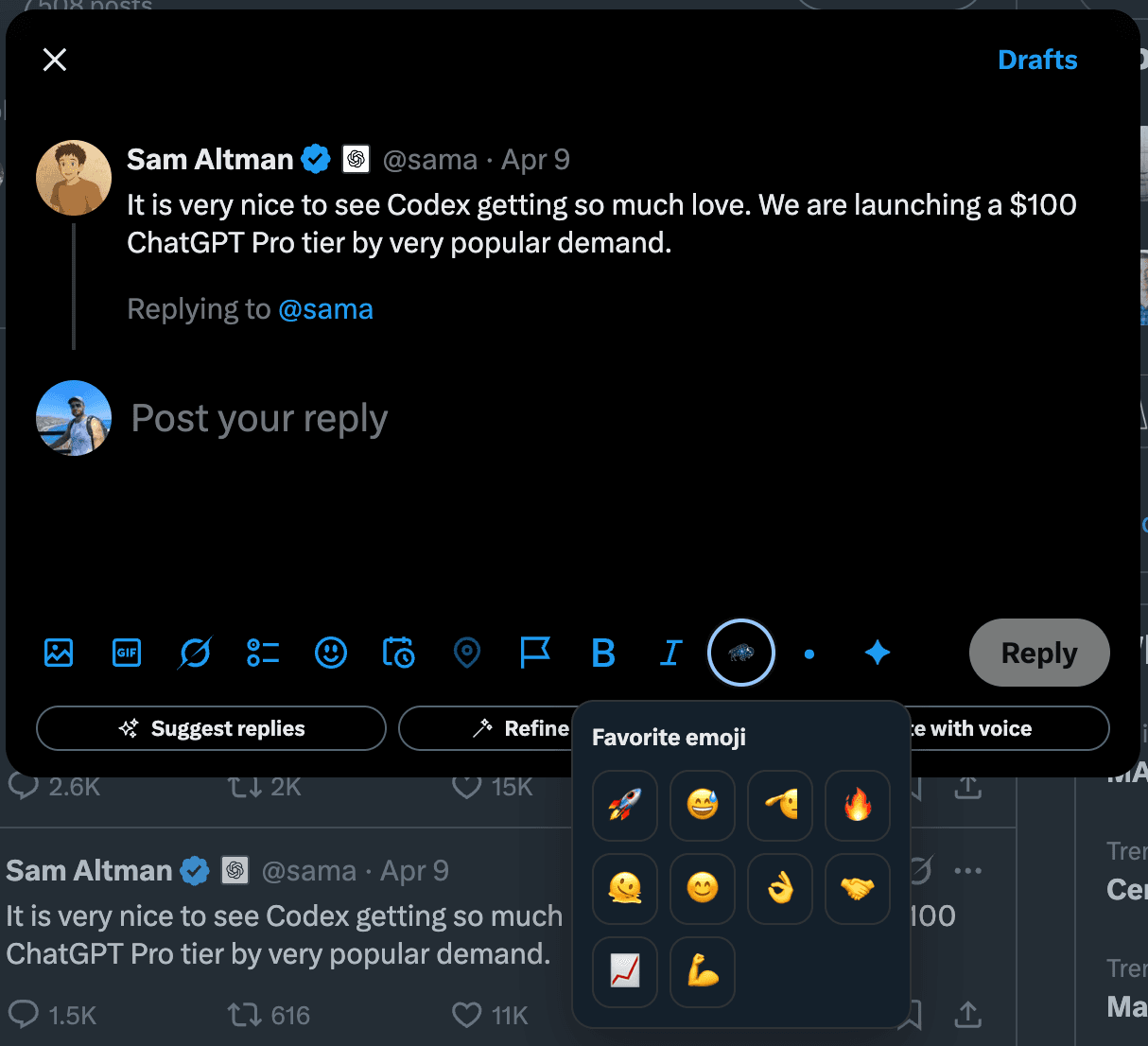
Pick the helper you need
Start with emoji if you mainly want faster reactions and familiar visual cues. Start with symbols if structure and formatting are the bottleneck.
Bisonary also covers the smaller parts of the workflow that slow active users down, including emoji shortcuts and quick symbols for cleaner posts and replies on X.
Tool navigation
Use the hub to compare both tools, or jump straight to emoji or symbols if you already know what is slowing you down.
Not every posting problem on X needs a full AI workflow. Sometimes the slowdown comes from simple repetitive actions like finding the same emoji again or looking up symbols you use all the time.
These pages are intentionally narrower than the main product promise. They exist to make posting faster while keeping the full reply workflow easy to discover.
Start with emoji if you mainly want faster reactions and familiar visual cues. Start with symbols if structure and formatting are the bottleneck.
Each tools page should give users something immediately useful, not just another feature description.
When users want drafting, voice input, or text enhancement, the tools pages bridge naturally into the main Bisonary product.
The pages below are narrow on purpose. They solve one posting problem well, then connect back into the broader workflow.
A tighter way to reach favorite emoji when you post or reply frequently and do not want to keep opening a full picker.
Quick access to bullets, arrows, separators, and simple symbols for cleaner visual structure on X.
When utility shortcuts are not enough, users can move into reply suggestions, voice drafting, and text enhancement inside X.
Choose the workflow visually: emoji for faster reactions and tone cues, or symbols for cleaner structure and formatting.
Each page covers a different job to be done so users can find the exact workflow they need.
Yes. The tools pages focus on narrower writing helpers such as emoji and symbol shortcuts, while the main product covers reply drafting, voice workflows, and text enhancement inside X.
These utility workflows solve smaller but real posting problems on X. They also help users discover the broader reply workflow when they need more than a simple shortcut.
No. They are quality-of-life helpers for faster posting flow, not replacements for style-aware drafting or reply generation.
Start with the emoji picker if your posting flow is slowed by repetitive reactions. Start with symbols if you often need bullets, separators, arrows, or cleaner visual structure inside X.
The tools layer is for narrow posting friction. Bisonary is there when users also want help drafting, refining, and replying faster on X.
Free utility pages should stay narrow, useful, and clearly separate from the paid AI workflow.